YOUR CART
- No products in the cart.
Total:
$0.00

Let your team members choose their preferred interface style.
A simple plugin that enables individual theme selection in user preferences.
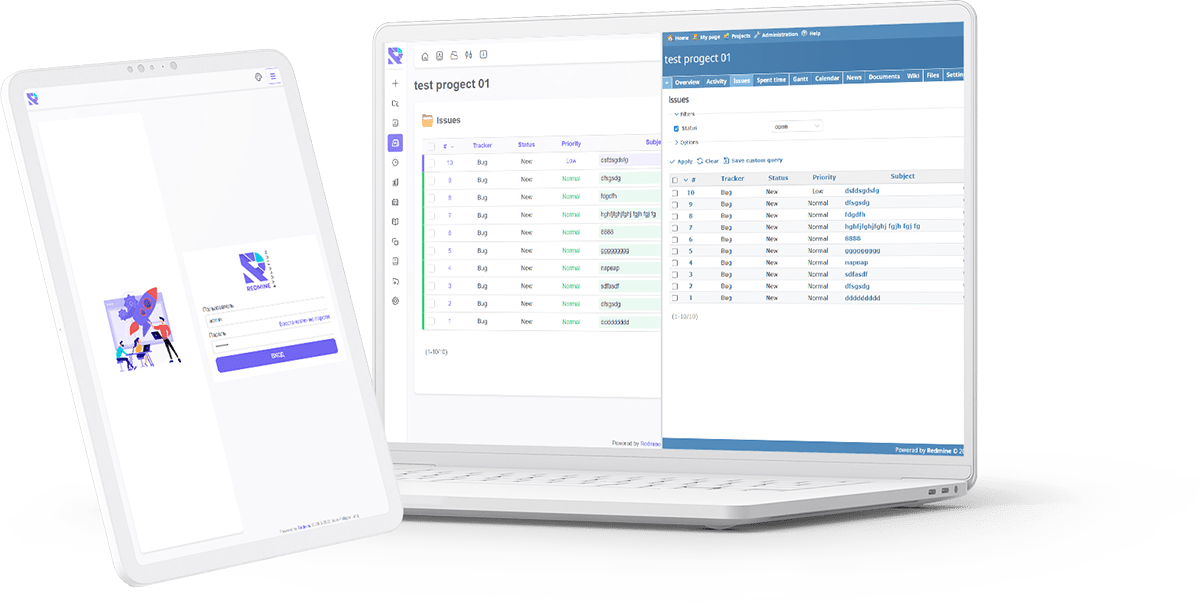
 Fast сontrol
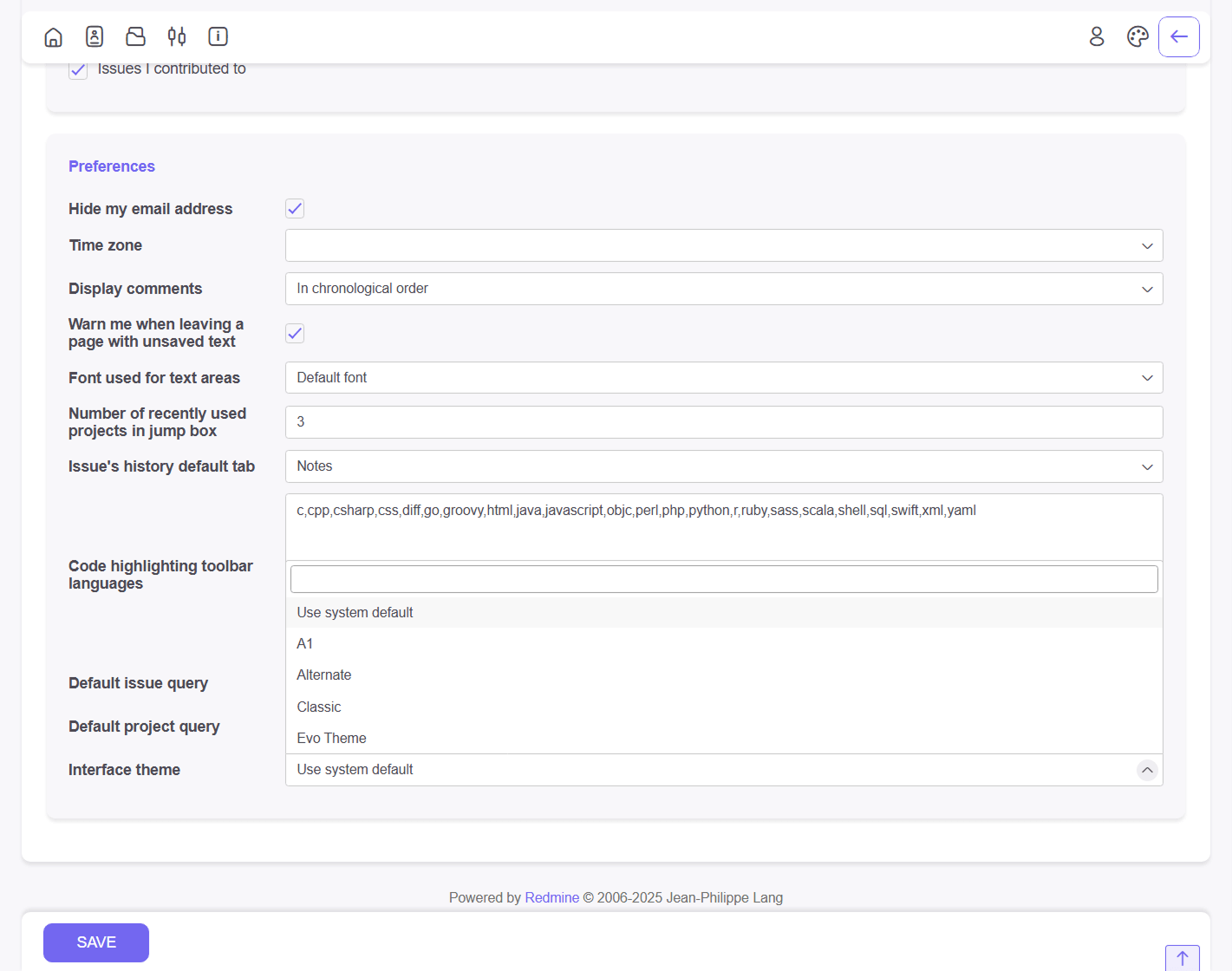
No more one-size-fits-all. Every user can select their favorite theme directly from the “My Account” settings, overriding the global default without affecting other users.
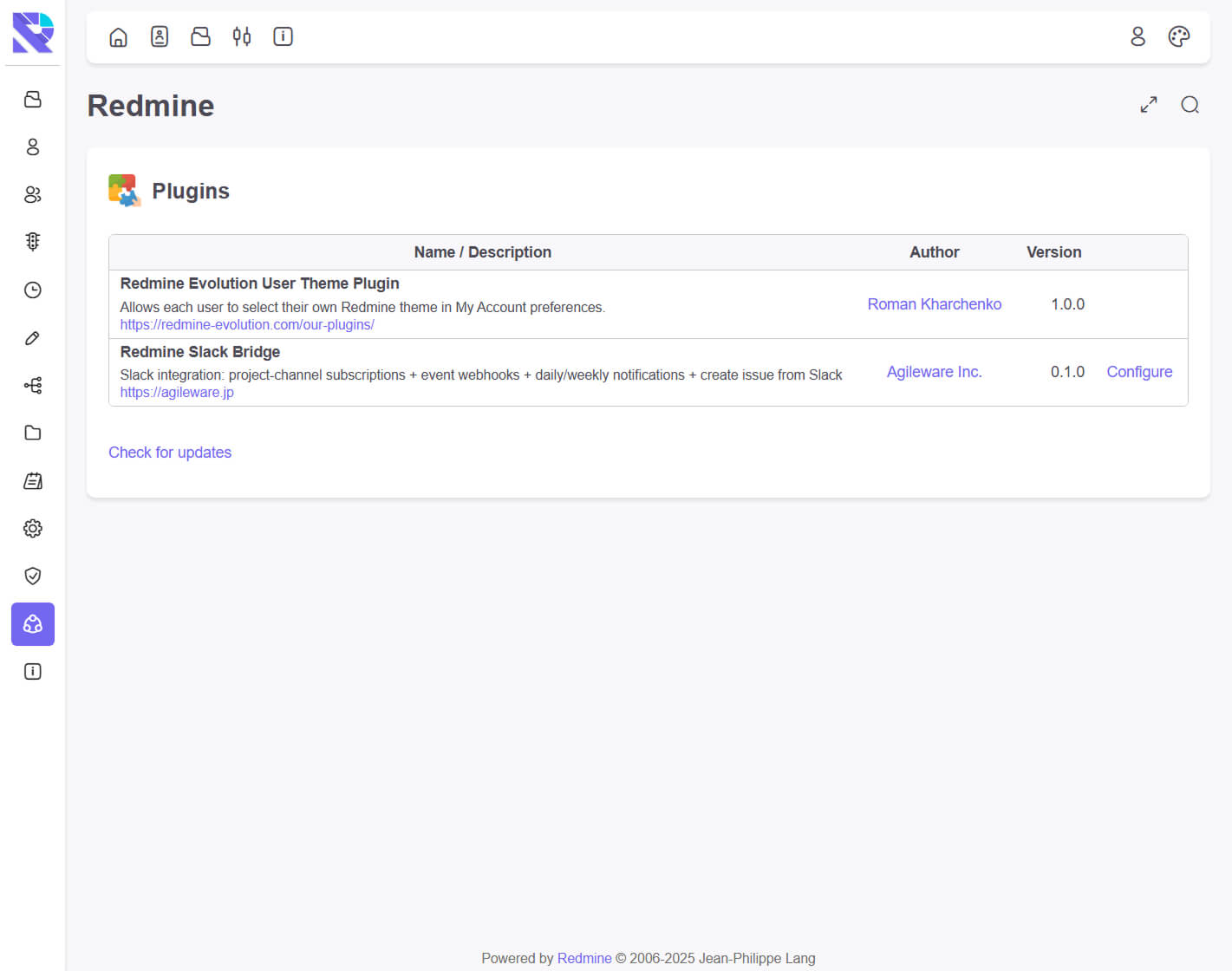
The plugin integrates natively into the standard Redmine “Preferences” tab. It automatically detects all themes installed in your /public/themes folder and lists them for selection.
Improve user satisfaction by allowing them to work in an environment comfortable for their eyes. Whether they prefer a dark mode or a classic light layout, the choice is theirs.


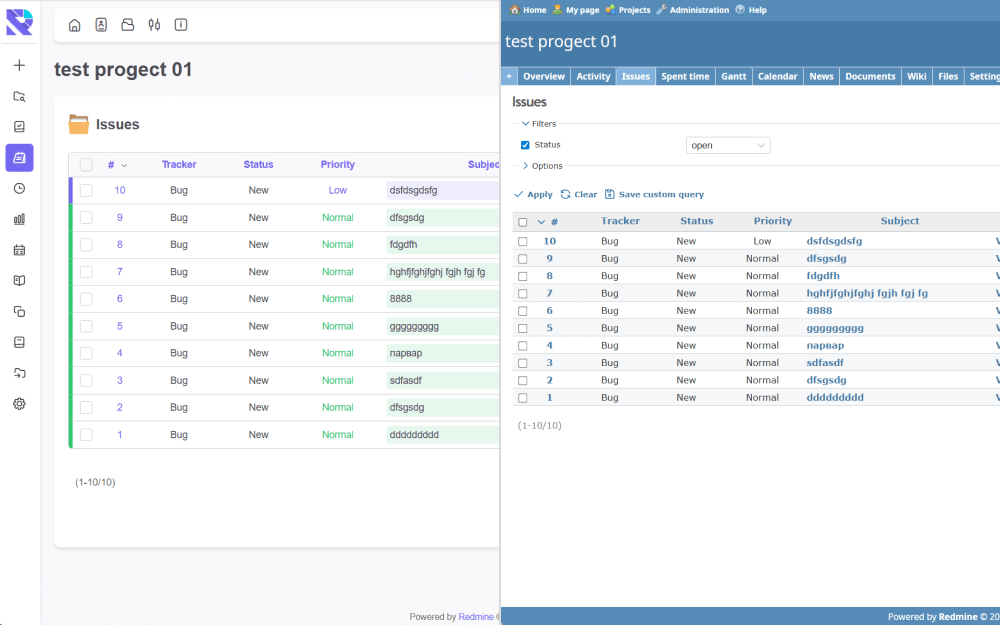
This document serves as the official feature specification and technical guide for the RE-user-theme. As a specialized Redmine plugin, this tool addresses a fundamental gap in the Redmine project management ecosystem: the inability for individual users to control their own interface styling. By installing the RE-user-theme, administrators empower their teams with granular control, transforming the standard rigid interface into a flexible environment via this lightweight Redmine plugin.
The core function of the RE-user-theme is to override the global CSS settings defined by the system administrator. In a default installation, a Redmine plugin for theming usually changes the look for everyone. However, the RE-user-theme operates differently. It creates a personalized setting layer stored in the database. When a user logs in, this Redmine plugin checks their unique preferences and loads their selected design instead of the system default. This makes the RE-user-theme an essential utility for diverse teams.
Deploying the RE-user-theme offers immediate benefits for user experience (UX) and accessibility:
From a technical standpoint, the RE-user-theme is built to be non-intrusive. Unlike a heavy Redmine plugin that might slow down your server, this tool is optimized for performance. The RE-user-theme dynamically parses the /public/themes directory. This means if you upload a new CSS package to your server, the RE-user-theme detects it automatically without requiring a server restart. This dynamic detection makes it the most convenient Redmine plugin for theme management.
Data integrity is maintained because the RE-user-theme uses the standard user_preferences table. It modifies the schema safely to store the `ui_theme` variable. This compliance with Redmine coding standards ensures that our Redmine plugin is stable and reliable.
One of the main concerns when installing a new Redmine plugin is compatibility. The RE-user-theme has been rigorously tested.
Q: How does the RE-user-theme handle missing themes?
A: If a user selects a theme via the RE-user-theme and that theme is later deleted from the server, this Redmine plugin includes a fallback mechanism. It will revert the user to the default system theme, preventing any “White Screen of Death” errors.
Q: Is the RE-user-theme difficult to install?
A: No, installing this Redmine plugin follows the standard Ruby on Rails migration process. You simply extract the RE-user-theme folder to your plugins directory and run the migration command.
Q: Can I restrict the RE-user-theme to specific users?
A: Currently, the RE-user-theme is available to all logged-in users, as personalization is considered a universal need. This Redmine plugin is designed to improve satisfaction for the whole organization.
If you are looking for a reliable Redmine plugin to modernize your workflow, the RE-user-theme is the perfect choice. It bridges the gap between rigid administration and user comfort. By choosing the RE-user-theme, you are choosing a happier, more productive team. Download the RE-user-theme today and experience the best Redmine plugin for interface customization.
| Redmine | 4.1.x – 5.x – 6.x |
| Ruby | 2.6+ |
| Database | requires db & migration |
| Database Type | MySQL, PostgreSQL |
| Redmine 4.1.x – 5.x – 6.x (default Redmine) |
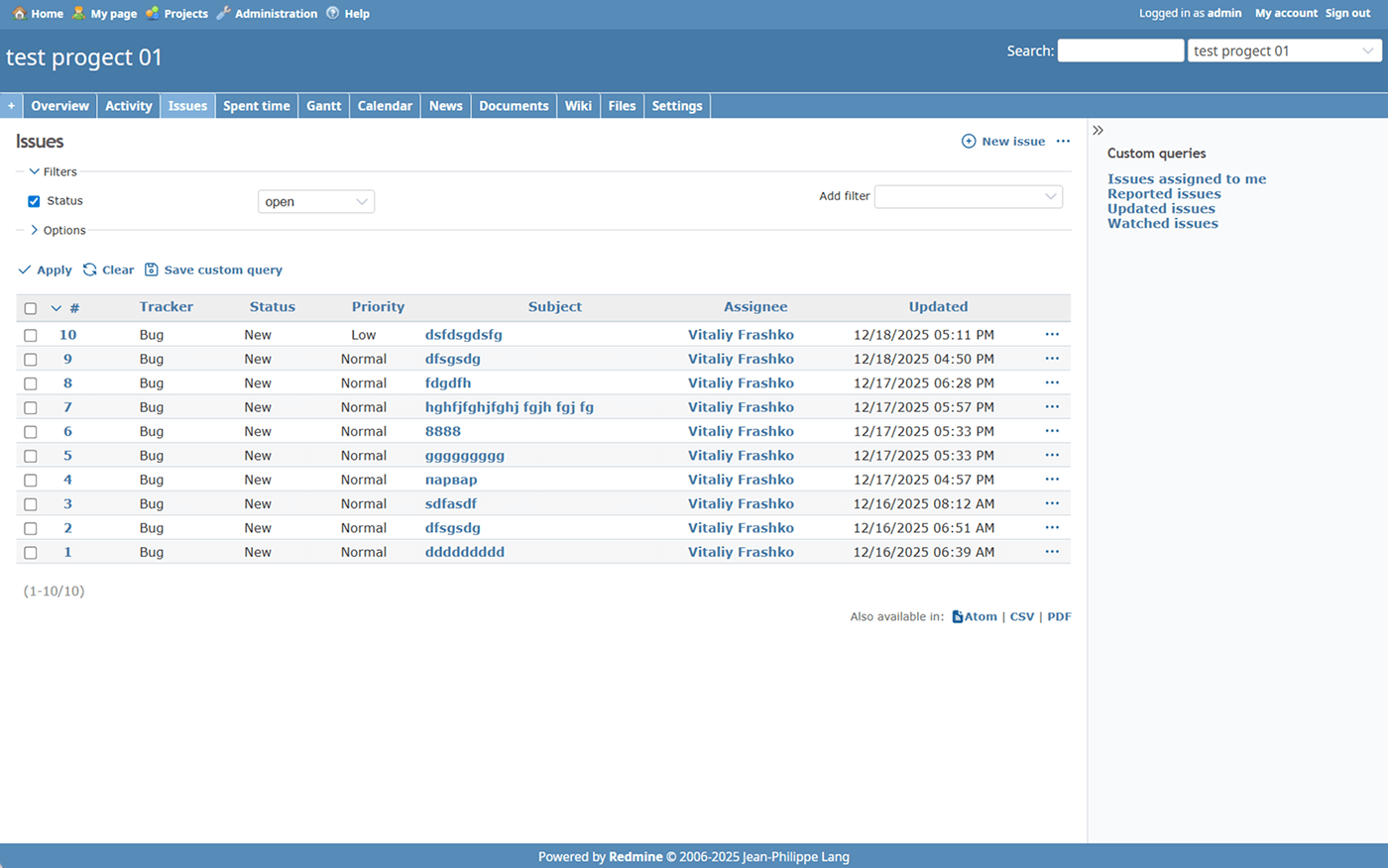
| Default Redmine Themes (default, alternate, classic) |
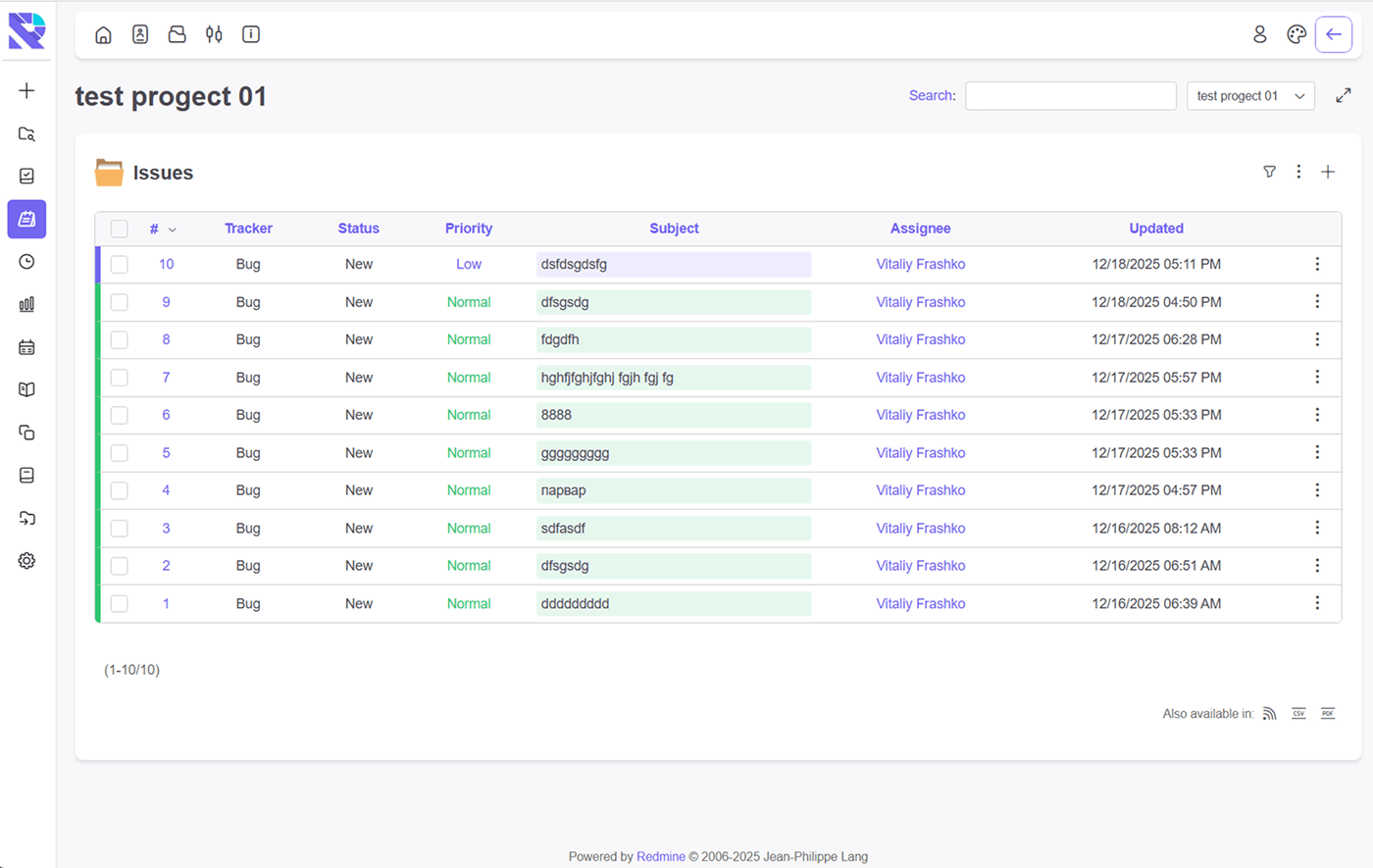
| Redmine-evolution EVO theme |
| Redmine-evolution RE-classic theme |
| Available languages: en, de, fr, it, ko, pt, ru, uk, zh |
Version ‘1.0.0’ – 27.12.2025
|
After purchasing, your personal customer account will be automatically created.
The link to your email will be sent for the activation of access to your personal account.
After activating the account, you can download the current version of EVO theme from REDMINE-EVOLUTION within lifetime access.
You move the downloaded theme to the theme folder on the Redmine server and activate the theme in settings.
If you find any visual problems in the theme, you can contact support in your account.
For more information – click EVO-light theme tour
Once you purchase the theme, a user account will be automatically created for you.
The account details and theme download information will be sent to the email address provided during the purchase.
You have the option to purchase a package with next:
If you notice any visual issues with the theme, please create a support ticket through your account.
For more information – click EVO theme tour
Once you purchase the theme, a user account will be automatically created for you.
The account details and theme download information will be sent to the email address provided during the purchase.
You have the option to purchase a package with next:
If you notice any visual issues with the theme, please create a support ticket through your account.
Once you purchase the theme, a user account will be automatically created for you.
The account details and theme download information will be sent to the email address provided during the purchase.
You have the option to purchase a package with next:
If you notice any visual issues with the theme, please create a support ticket through your account.
Once you purchase the theme, a user account will be automatically created for you.
The account details and theme download information will be sent to the email address provided during the purchase.
You have the option to purchase a package with next:
If you notice any visual issues with the theme, please create a support ticket through your account.
Once you purchase the theme, a user account will be automatically created for you.
The account details and theme download information will be sent to the email address provided during the purchase.
You can purchase a package with lifetime access to updates.
If you notice any visual issues with the theme, please create a support ticket through your account.
Once you purchase the plugin, a user account will be automatically created for you.
The account details and plugin download information will be sent to the email address provided during the purchase.
You have the option to purchase a package with next:
If you notice any issues with the plugin, please create a support ticket through your account.
Available
The plugin is designed for quick user access to their tasks. A minimum of movements is always in quick access to the minimum required information.
REDMINE-EVOLUTION Bage plugin does not depend on the theme. Compatible with other plugins and themes.
You have the opportunity to try all our developments by requesting demo access.
Once you purchase the plugin, a user account will be automatically created for you.
The account details and plugin download information will be sent to the email address provided during the purchase.
You have the option to purchase a package with next:
If you notice any issues with the plugin, please create a support ticket through your account.
Once you purchase the plugin, a user account will be automatically created for you.
The account details and plugin download information will be sent to the email address provided during the purchase.
You have the option to purchase a package with next:
If you notice any issues with the plugin, please create a support ticket through your account.
The plugin allows you to quickly share tasks with clients.
Without registration and login to Redmain.
Provide access via link or email.
The plugin allows you to quickly share tasks with clients.
Without registration and login to Redmain.
Provide access via link or email.
RE-Note Redmine Our plugins Option 1: Short and clear RE-Note re-note adds a lightweight “quick note” box to the bottom of each Redmine issue page. Type your note, click Submit, and it’s saved as a native Redmine journal entry—so it appears in the issue history just like standard notes/comments. The Submit button stays disabled until […]