YOUR CART
- No products in the cart.
Total:
$0.00
Choose your plan!
Purchase in confidence with our 14 Days Money Back Guarantee – see our refund policy
Flexible Pricing Plans:
Redmine-Evolution offers flexible pricing plans tailored to the diverse needs of organizations. The pricing structure takes into account the number of users and the desired features, allowing users to choose a plan that best suits their requirements. Whether you have a small team or a large enterprise, Redmine-Evolution ensures that you have access to the right set of features at a reasonable cost.
Cost-Effective Alternative to Traditional Project Management Tools:
Redmine-Evolution offers a cost-effective alternative to traditional project management tools without compromising on functionality. By utilizing the power of the Redmine platform, Redmine-Evolution provides a comprehensive set of features for planning, tracking, collaboration, and reporting at a fraction of the cost compared to proprietary software solutions. This affordability makes it an attractive choice for organizations seeking value for their investment.
Continuous Updates and Support:
When you choose Redmine-Evolution, you gain access to continuous updates and support to ensure your project management processes remain optimized. The pricing includes ongoing software updates, bug fixes, security patches, and access to support channels. This commitment to providing reliable software and assistance further enhances the value of Redmine-Evolution as a long-term project management solution.
The Redmine-Evolution offers flexible and transparent pricing options, providing organizations with affordable access to a comprehensive project management solution. With its cost-effective pricing plans, scalability, and value-driven features, Redmine-Evolution empowers teams to improve efficiency, collaboration, and project outcomes. By investing in Redmine-Evolution, organizations can experience the benefits of a robust project management tool without breaking the bank.
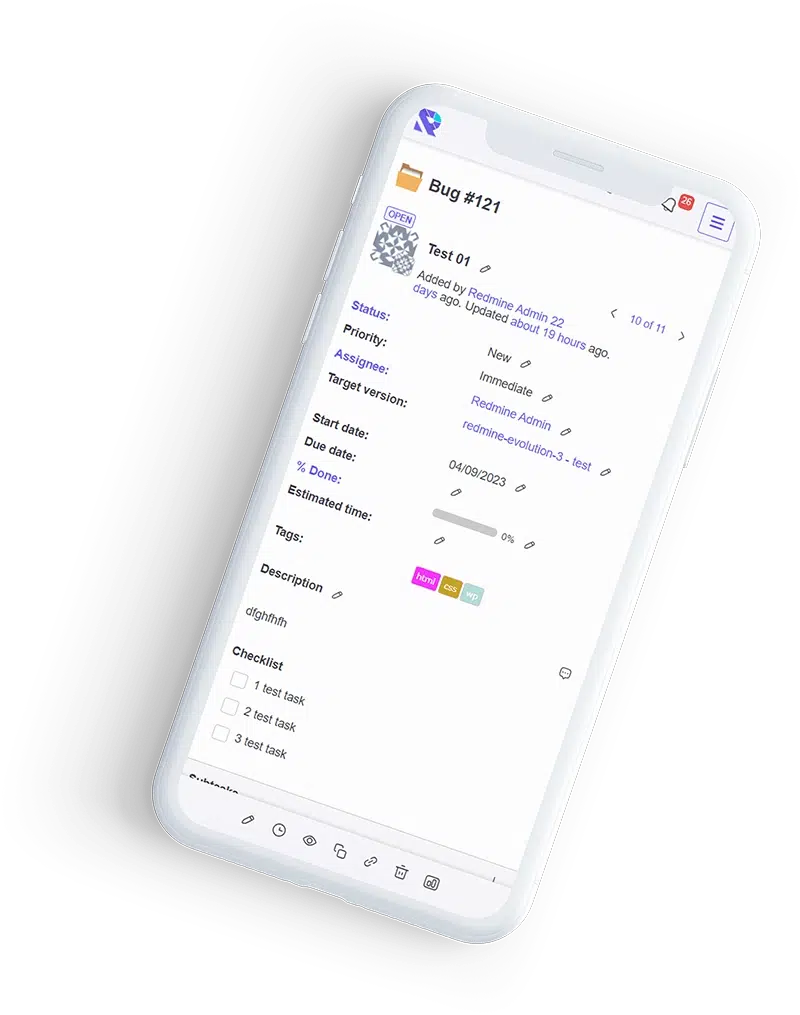
Сhoose a plan according to your needs
Іncludes:
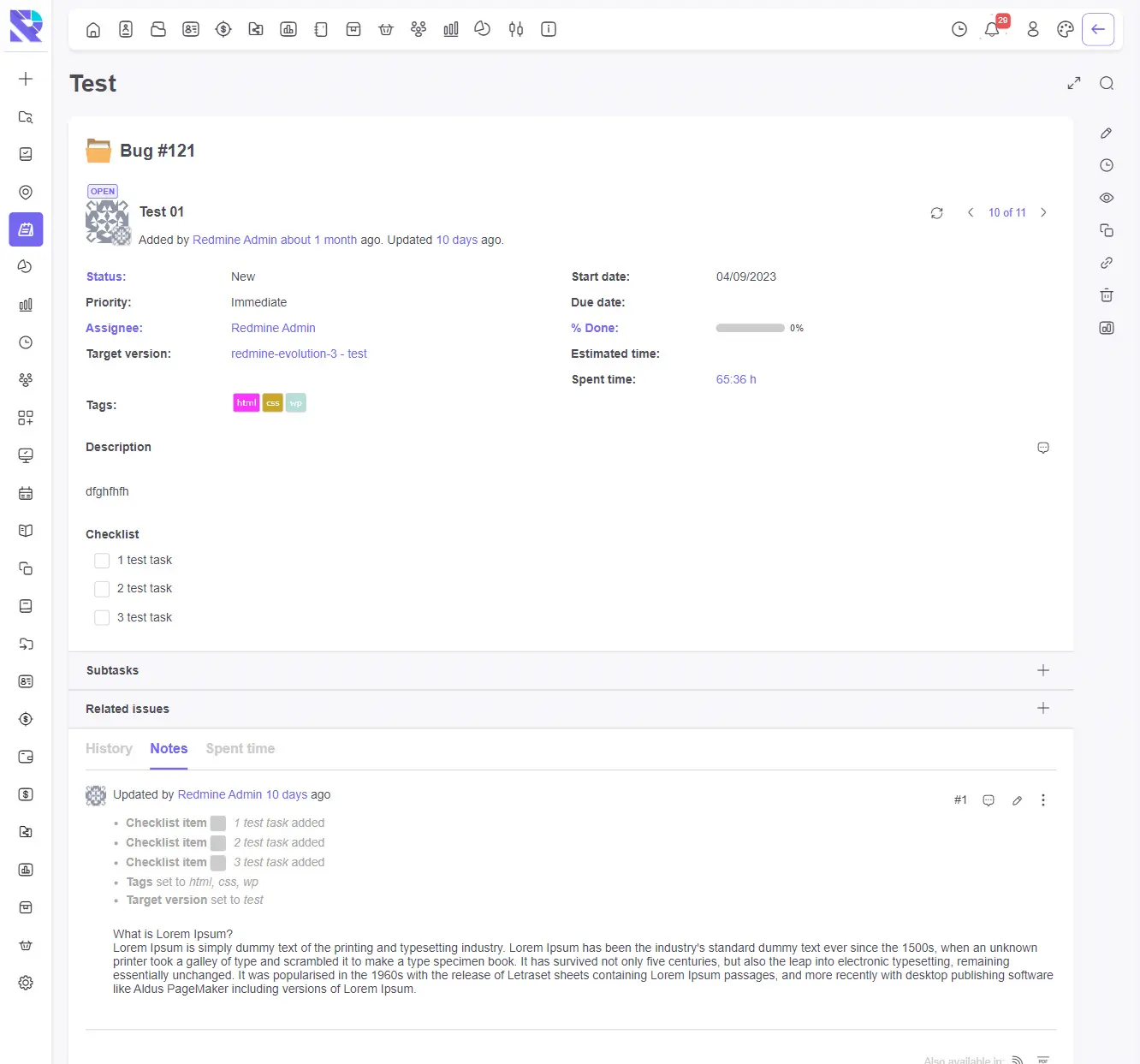
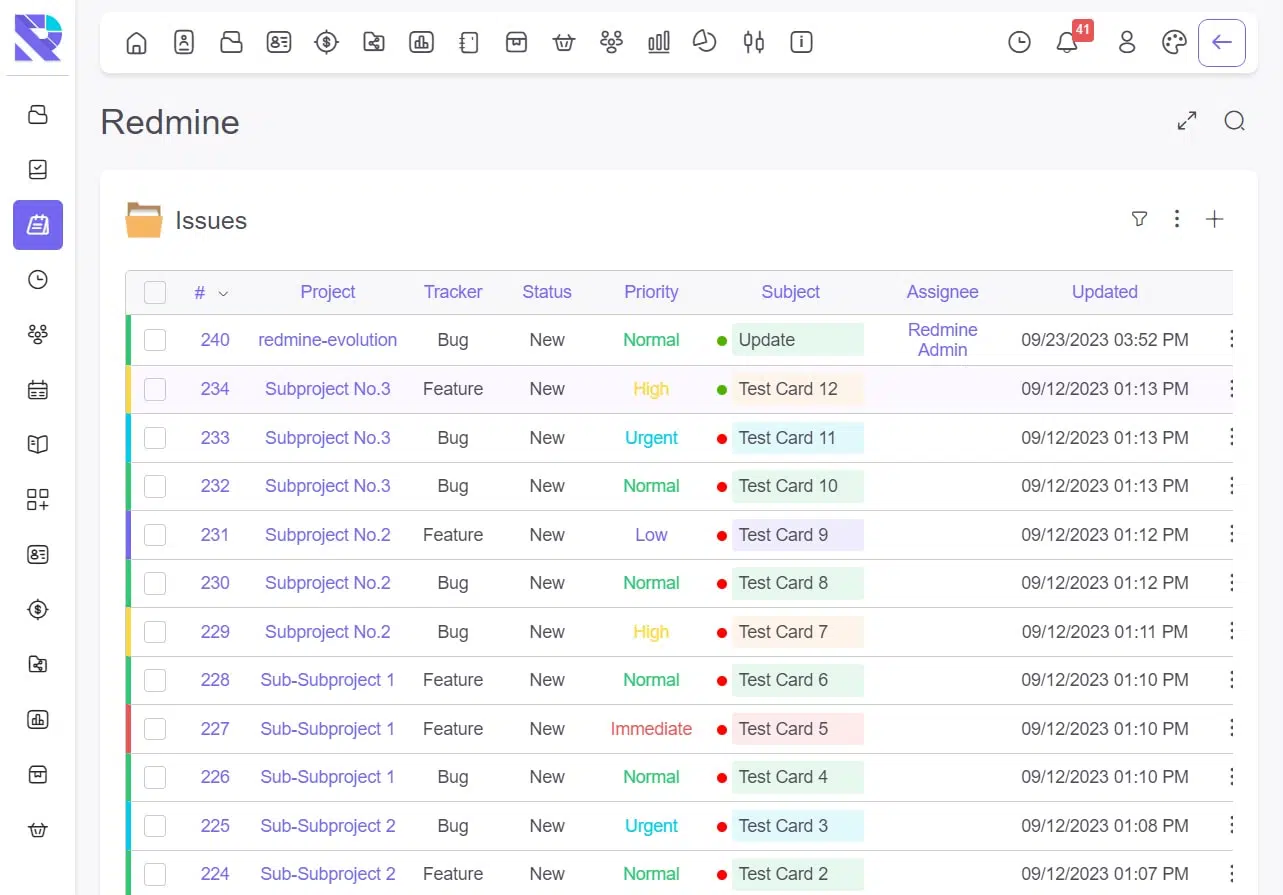
Discover the power of lightning-fast performance and enhanced productivity with our optimized Redmine theme. We have meticulously crafted this theme to provide a seamless and efficient user experience.
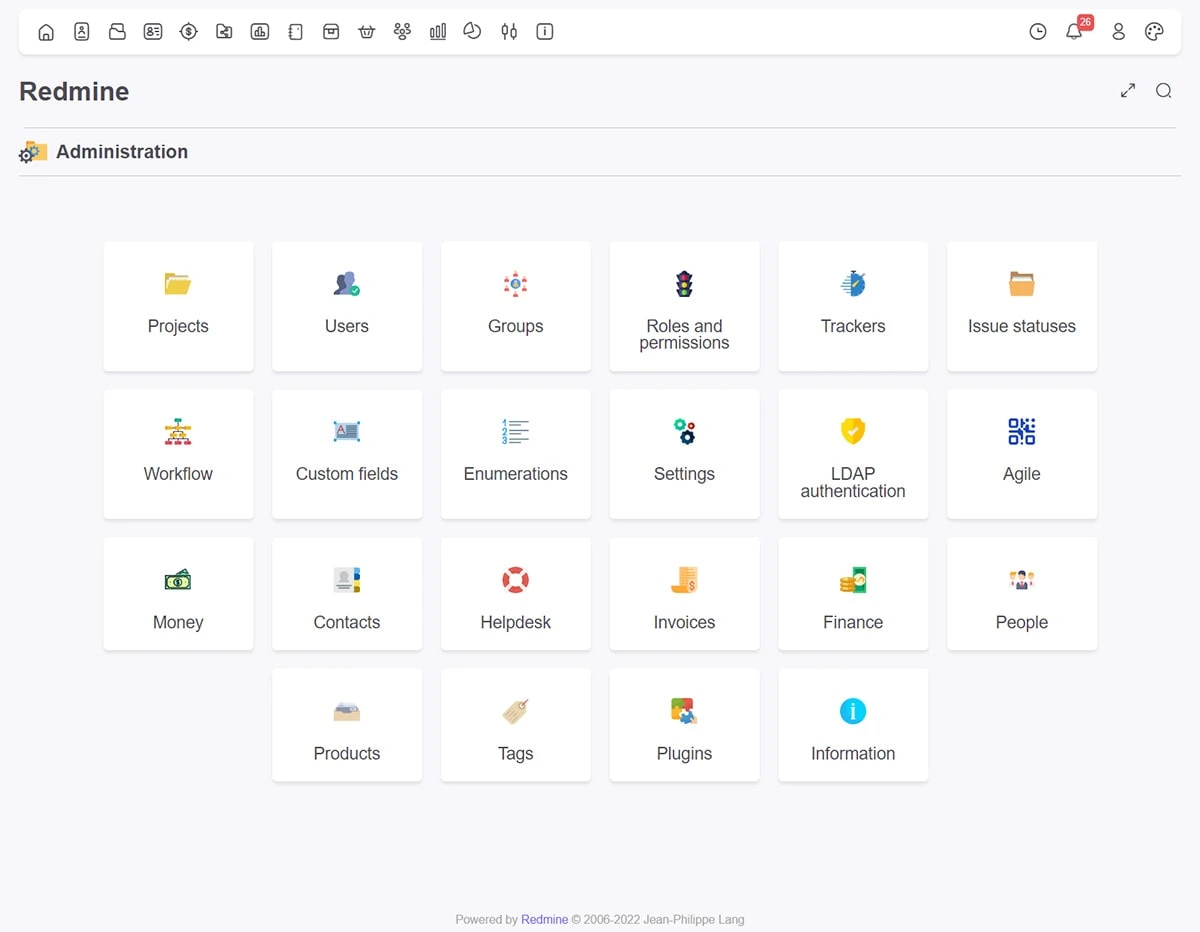
Modern Colors and Engaging Design
Immerse yourself in a visually captivating environment with our modern color scheme that revitalizes your Redmine theme’s interface. The engaging design creates an inspiring atmosphere for your team, boosting their workflow and motivation.
Simplified User Experience
Navigate through your tasks effortlessly with our streamlined interface. We have optimized the layout to ensure intuitive navigation and easy task completion. With features like the visible/hidden sidebar, filters, and menu, finding what you need has never been easier.
Intuitive Interface with Customization Options
Our Redmine theme offers an intuitive interface that guides users through their daily tasks. Customize the theme to match your brand identity by adding your logo, selecting your background, and choosing your preferred colors, fonts, and icons.
Optimized for All Devices
Experience a seamless user experience across all devices, including computers, tablets, and smartphones. Our theme is fully responsive, adapting to different screen sizes and platforms without sacrificing performance.
Impeccable Viewing Experience
We have carefully chosen font and icon sizes to enhance readability and clarity, ensuring that information is presented in the best possible way. The theme creates a visually pleasing environment that is easy on the eyes.
Speed and Performance Boost
Speed is a top priority for us. Our theme is optimized for fast download speeds, ensuring quick and responsive performance. Say goodbye to waiting times and enjoy a fluid and efficient workflow.
Revitalize Your Redmine Interface
Our theme introduces a fresh aesthetic to your Redmine interface, enhancing its visual appeal and user experience. It combines sleek design elements to create a modern and polished look.
Upgrade your Redmine experience today with our download speed optimization theme and unlock a new level of productivity and efficiency for your team.
Іncludes:
Experience lightning-fast performance with our optimized Redmine theme. It supports all RedmineUP plugins, ensuring seamless integration and enhanced functionality.
Modern Colors and Refreshing Design
Our Redmine theme features a modern color scheme that adds vibrancy to your Redmine interface. The visually appealing design captivates your team, making their workflow more enjoyable and productive.
Enhanced User Experience
We prioritize user experience by simplifying navigation and facilitating task completion. The visible/hidden sidebar, filters, and menu make it easy to find what you need. The fixed top menu ensures convenient access to essential features.
Intuitive Interface and Customization
Our theme offers an intuitive interface that streamlines daily tasks. It provides well-designed details and features, promoting a smooth workflow. Customize it with your logo, background, corporate colors, fonts, and icons to match your branding.
Optimized for All Devices
Whether you’re using a computer, tablet, or smartphone, our theme guarantees an exceptional user experience. It’s meticulously crafted to deliver impeccable performance and usability across various devices and platforms.
Impeccable Viewing Experience
The Redmine theme’s carefully selected font and icon sizes enhance readability and clarity. It creates a visually pleasant environment while maintaining a professional look.
Boosted Speed and Performance
We understand the importance of speed. Our theme is optimized for fast download speeds, ensuring a responsive interface and minimizing delays.
Elevate Your Redmine Experience
Combining the best elements of the EVO theme by Redmine-Evolution, our theme brings a fresh aesthetic to your Redmine interface. Upgrade today and enjoy an enhanced Redmine experience for your entire organization.
Get the optimized Redmine theme now and take your productivity to new heights!
Іncludes:
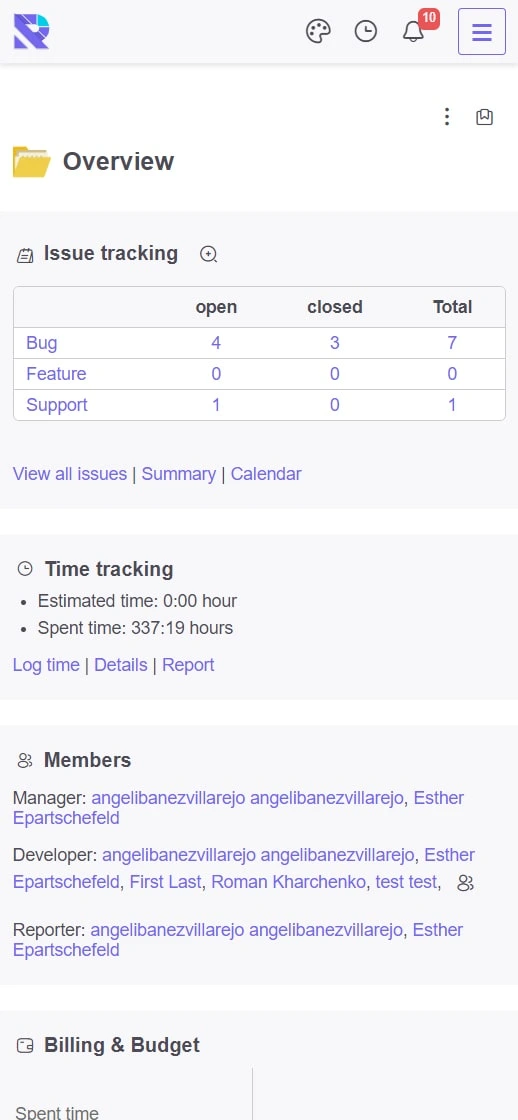
The redmine theme uses light and humble colors.
The optimal font and icon sizes are selected.
Careful use of the workspace.
This theme only supports free Redmine plugins
Іncludes:
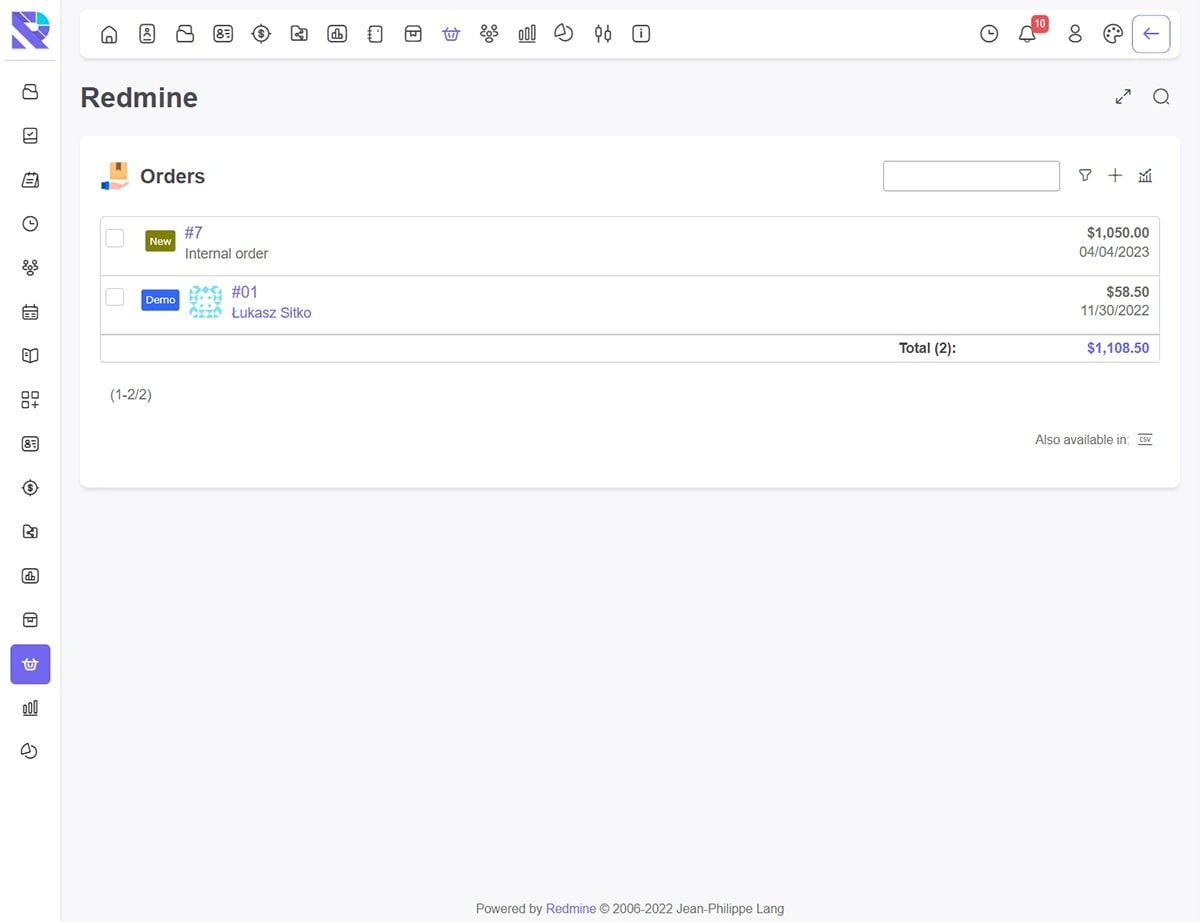
Use your logo and background
Use your corporate colors & fonts & icons
This is UI/UX adopted theme.
Іncludes (with lifetime access):
Experience lightning-fast performance with our optimized Redmine theme. It supports all RedmineUP plugins, ensuring seamless integration and enhanced functionality.
Modern Colors and Refreshing Design
Our Redmine theme features a modern color scheme that adds vibrancy to your Redmine interface. The visually appealing design captivates your team, making their workflow more enjoyable and productive.
Enhanced User Experience
We prioritize user experience by simplifying navigation and facilitating task completion. The visible/hidden sidebar, filters, and menu make it easy to find what you need. The fixed top menu ensures convenient access to essential features.
Intuitive Interface and Customization
Our theme offers an intuitive interface that streamlines daily tasks. It provides well-designed details and features, promoting a smooth workflow. Customize it with your logo, background, corporate colors, fonts, and icons to match your branding.
Optimized for All Devices
Whether you’re using a computer, tablet, or smartphone, our theme guarantees an exceptional user experience. It’s meticulously crafted to deliver impeccable performance and usability across various devices and platforms.
Impeccable Viewing Experience
The Redmine theme’s carefully selected font and icon sizes enhance readability and clarity. It creates a visually pleasant environment while maintaining a professional look.
Boosted Speed and Performance
We understand the importance of speed. Our theme is optimized for fast download speeds, ensuring a responsive interface and minimizing delays.
Elevate Your Redmine Experience
Combining the best elements of the EVO theme by Redmine-Evolution, our theme brings a fresh aesthetic to your Redmine interface. Upgrade today and enjoy an enhanced Redmine experience for your entire organization.
Get the optimized Redmine theme now and take your productivity to new heights!
Discover the power of the Redmine plugin, the game-changing time tracking plugin designed to optimize your workflow in Redmine. With its robust features and seamless integration, RE-timer revolutionizes the way you manage tasks and track time, empowering you to maximize productivity like never before.
Effortless Task Management:
Efficiency is key, and RE-timer ensures you stay on top of your tasks effortlessly. Gain quick access to tasks, prioritize your workload, and eliminate time wasted on searching for assignments. Take control of your workflow with ease.
Features:
1. Quick access to tasks from any page, ensuring seamless task management.
2. Easy time tracking initiation with just a few clicks, allowing efficient task execution.
3. Convenient manual time entry form, enabling effortless additional time spent.
4. Simultaneous time tracking for multiple tasks, facilitating efficient multitasking.
5. Fast and intuitive interface, providing a smooth user experience.
6. Time tracker launch from the plugin’s main window or directly from a task, ensuring flexibility and convenience.
7. Task tracking for assignments to individual users or user groups, ensuring efficient monitoring of tasks.
8. Streamlined time management and improved productivity for effective project execution.
REDMINE-EVOLUTION Badge plugin:
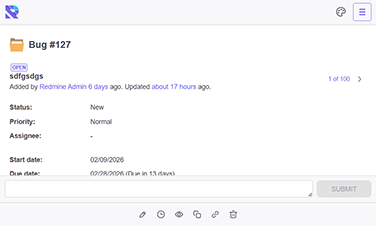
The Redmine plugin is designed for quick user access to their tasks. A minimum of movements is always in quick access to the minimum required information.
You have the opportunity to try all our developments by requesting demo access.
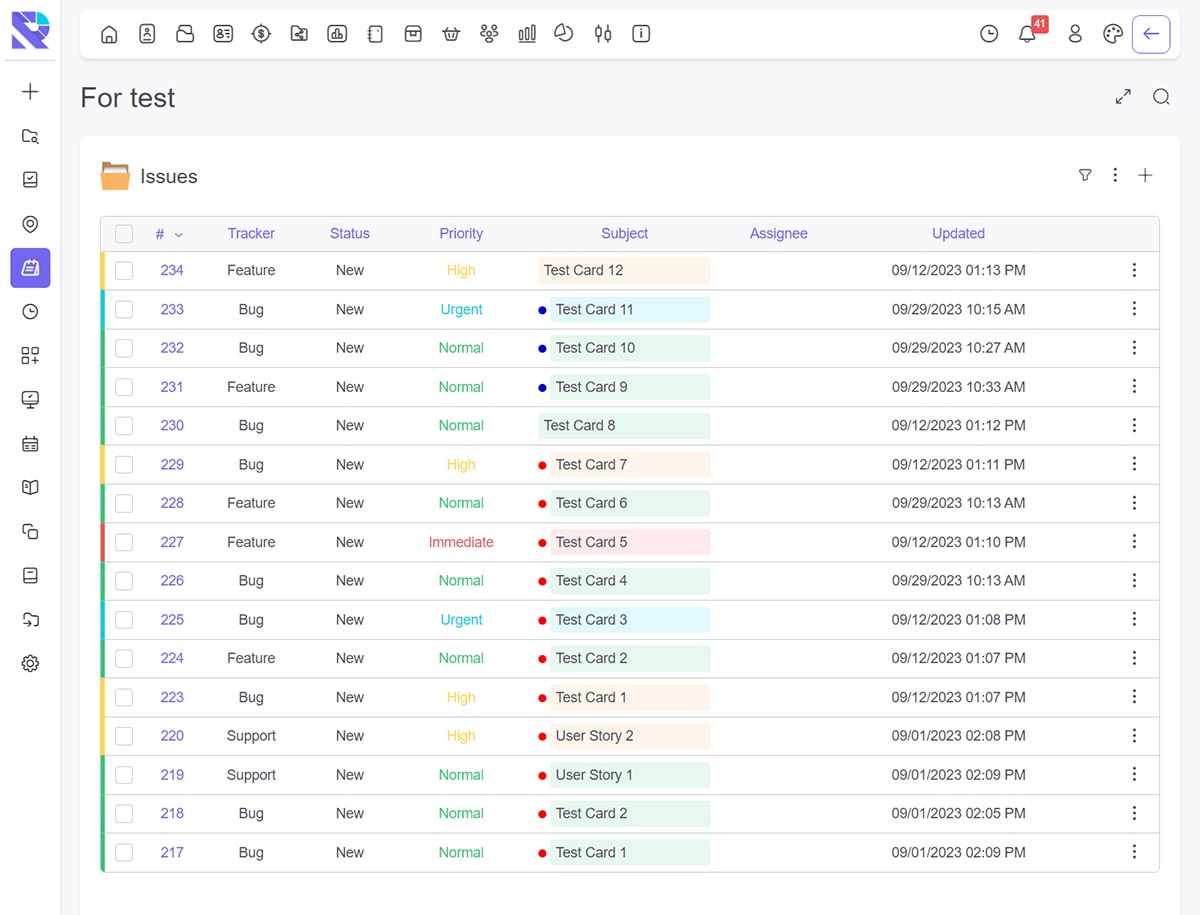
Features:
1. Quick check to reading status of tasks from any page with tasks, ensuring seamless task management.
2. Fast and intuitive interface, providing a smooth user experience.
3. Task tracking for assignments to individual users or user groups, ensuring efficient monitoring of tasks.
4. Streamlined time management and improved productivity for effective project execution.
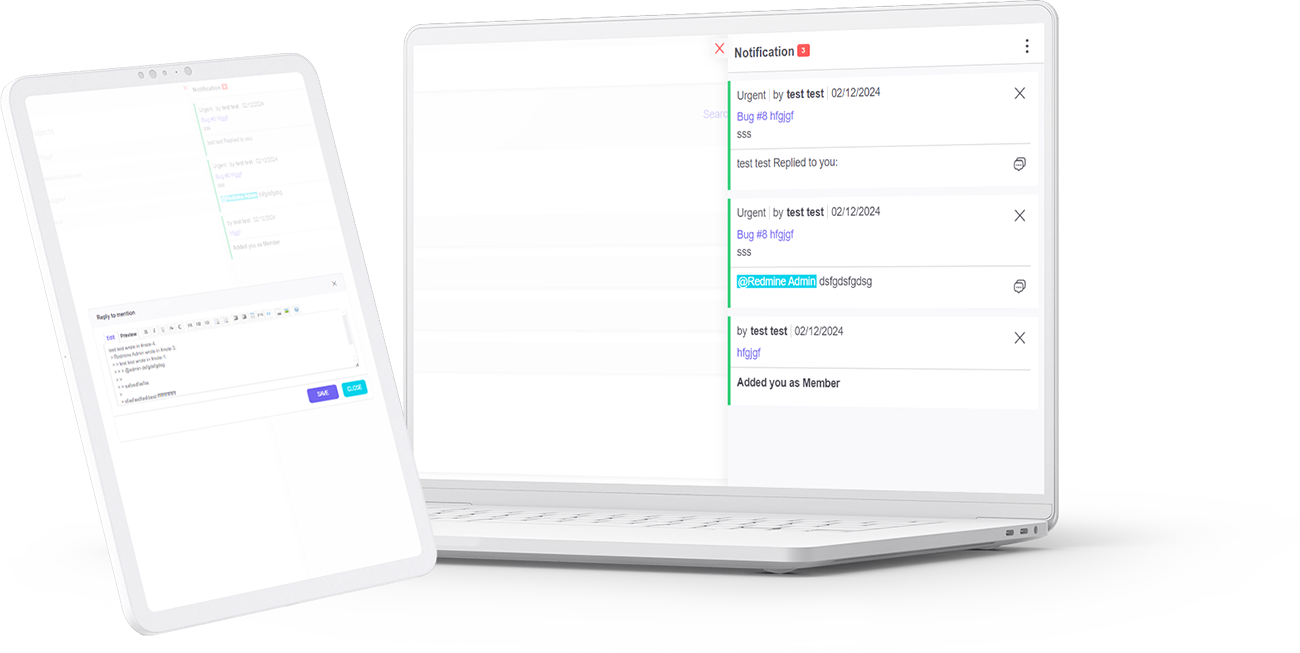
Features:
1. Change the status of tasks.
2. Tasks are assigned to you or your group.
3. Adding / Removing:
3.1. you to group
3.2. you to project
3.3. project to group
Boost client collaboration with the re_shared_issues Redmine plugin, enabling seamless task sharing without the need for client registration. Choose between two secure access options:
Open access for all users in rural areas.
Advanced email access with customizable settings, allowing clients to comment and close tasks.
Streamline project management, enhance client communication, and simplify task sharing with ease using re_shared_issues. Ideal for teams looking for efficiency and flexibility in managing remote client interactions. Optimize your task-sharing process today with
This document serves as the official feature specification and technical guide for the RE-user-theme. As a specialized Redmine plugin, this tool addresses a fundamental gap in the Redmine project management ecosystem: the inability for individual users to control their own interface styling. By installing the RE-user-theme, administrators empower their teams with granular control, transforming the standard rigid interface into a flexible environment via this lightweight Redmine plugin.
The core function of the RE-user-theme is to override the global CSS settings defined by the system administrator. In a default installation, a Redmine plugin for theming usually changes the look for everyone. However, the RE-user-theme operates differently. It creates a personalized setting layer stored in the database. When a user logs in, this Redmine plugin checks their unique preferences and loads their selected design instead of the system default. This makes the RE-user-theme an essential utility for diverse teams.
Deploying the RE-user-theme offers immediate benefits for user experience (UX) and accessibility:
From a technical standpoint, the RE-user-theme is built to be non-intrusive. Unlike a heavy Redmine plugin that might slow down your server, this tool is optimized for performance. The RE-user-theme dynamically parses the /public/themes directory. This means if you upload a new CSS package to your server, the RE-user-theme detects it automatically without requiring a server restart. This dynamic detection makes it the most convenient Redmine plugin for theme management.
Data integrity is maintained because the RE-user-theme uses the standard user_preferences table. It modifies the schema safely to store the `ui_theme` variable. This compliance with Redmine coding standards ensures that our Redmine plugin is stable and reliable.
One of the main concerns when installing a new Redmine plugin is compatibility. The RE-user-theme has been rigorously tested.
Q: How does the RE-user-theme handle missing themes?
A: If a user selects a theme via the RE-user-theme and that theme is later deleted from the server, this RE-user-theme product includes a fallback mechanism. It will revert the user to the default system theme, preventing any “White Screen of Death” errors.
Q: Is the RE-user-theme difficult to install?
A: No, installing this follows the standard Ruby on Rails migration process. You simply extract the RE-user-theme folder to your plugins directory and run the migration command.
Q: Can I restrict the RE-user-theme to specific users?
A: Currently, the RE-user-theme is available to all logged-in users, as personalization is considered a universal need. This RE-user-theme product is designed to improve satisfaction for the whole organization.
If you are looking for a reliable to modernize your workflow, the RE-user-theme is the perfect choice. It bridges the gap between rigid administration and user comfort. By choosing the RE-user-theme, you are choosing a happier, more productive team. Download the RE-user-theme today and experience the best for interface customization.
Option 1: Short and clear
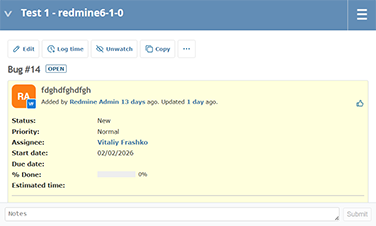
re-note adds a lightweight “quick note” box to the bottom of each Redmine issue page. Type your note, click Submit, and it’s saved as a native Redmine journal entry—so it appears in the issue history just like standard notes/comments. The Submit button stays disabled until text is entered, preventing empty updates. Uses Redmine’s built-in translations and is tested with Redmine 6.1 (Classic theme).
Option 2: More marketing/benefits
No more hunting for the notes field. re-note places a simple note editor at the very bottom of the issue page—right after you’ve read the full task history. Add a note in seconds and store it as a standard Redmine journal entry (no custom tables, no separate storage). Notes appear in the normal history and follow Redmine’s usual behavior. The button remains inactive until you type, and labels come from Redmine’s translation system for consistent multilingual UI.
Option 3: Technical, for admins
re-note is a minimal Redmine plugin that injects a note form into the issue view and saves notes using Redmine’s default Issue Journal mechanism. No database migrations are required. The Submit button is disabled when the textarea is empty. Labels use core i18n keys (field_notes, button_submit) to match the current Redmine language. Tested on Redmine 6.1 (Classic theme).
Option 4: Very short (snippet)
A quick note box at the bottom of Redmine issues. Saves as native journal notes. Submit disabled when empty. Translation-friendly.
Individual and special offers for companies.
Paddle Payments is a secure payment gateway used to place an order on the REDMINE-EVOLUTION website. Paddle Gateway will give you the opportunity to pay with PayPal.
REDMINE-EVOLUTION never has access to your payment details such as a credit card. All the data is transferred to Paddle via a secure https connection.
WayForPay Payments is a secure payment gateway used to place an order on the REDMINE-EVOLUTION website. WayForPay Gateway will give you the opportunity to pay with any credit card such as VISA, Mastercard or others.
REDMINE-EVOLUTION never has access to your payment details such as a credit card. All the data is transferred to WayForPay via a secure https connection.
It’s easy – you log in to your account and see the available downloads. If you have any problems, contact us.
Please, ask us any questions through our contact form.
Due to the nature of the product, we do not offer a trial version, so you can request Demo access to try our product.
Your license is valid for one year from the date of purchase. You need an active license to constantly access updates and get support with the theme.
The themes are sold as a one-time payment without a subscription. After the expiration date, your license key will not be renewed automatically but blocked on the expiry day. After this period, you will no longer receive update notifications automatically or have access to support. You can manually renew your license at any time to activate the subscription. A reminder about it will be sent before the expiration date so that you can decide if the license should be renewed or not.
Of course, it’s free.
You can download the theme as many times as you would like during the term of a license key.
After purchasing, your personal customer account will be automatically created.
The link to your email will be sent for the activation of access to your personal account.
After activating the account, you can download the current version of EVO theme from REDMINE-EVOLUTION within lifetime access.
You move the downloaded theme to the theme folder on the Redmine server and activate the theme in settings.
If you find any visual problems in the theme, you can contact support in your account.
For more information – click EVO-light theme tour
Once you purchase the theme, a user account will be automatically created for you.
The account details and theme download information will be sent to the email address provided during the purchase.
You have the option to purchase a package with next:
If you notice any visual issues with the theme, please create a support ticket through your account.
For more information – click EVO theme tour
Once you purchase the theme, a user account will be automatically created for you.
The account details and theme download information will be sent to the email address provided during the purchase.
You have the option to purchase a package with next:
If you notice any visual issues with the theme, please create a support ticket through your account.
Once you purchase the theme, a user account will be automatically created for you.
The account details and theme download information will be sent to the email address provided during the purchase.
You have the option to purchase a package with next:
If you notice any visual issues with the theme, please create a support ticket through your account.
Once you purchase the theme, a user account will be automatically created for you.
The account details and theme download information will be sent to the email address provided during the purchase.
You have the option to purchase a package with next:
If you notice any visual issues with the theme, please create a support ticket through your account.
Once you purchase the theme, a user account will be automatically created for you.
The account details and theme download information will be sent to the email address provided during the purchase.
You can purchase a package with lifetime access to updates.
If you notice any visual issues with the theme, please create a support ticket through your account.
Once you purchase the plugin, a user account will be automatically created for you.
The account details and plugin download information will be sent to the email address provided during the purchase.
You have the option to purchase a package with next:
If you notice any issues with the plugin, please create a support ticket through your account.
Available
The plugin is designed for quick user access to their tasks. A minimum of movements is always in quick access to the minimum required information.
REDMINE-EVOLUTION Bage plugin does not depend on the theme. Compatible with other plugins and themes.
You have the opportunity to try all our developments by requesting demo access.
Once you purchase the plugin, a user account will be automatically created for you.
The account details and plugin download information will be sent to the email address provided during the purchase.
You have the option to purchase a package with next:
If you notice any issues with the plugin, please create a support ticket through your account.
Once you purchase the plugin, a user account will be automatically created for you.
The account details and plugin download information will be sent to the email address provided during the purchase.
You have the option to purchase a package with next:
If you notice any issues with the plugin, please create a support ticket through your account.
The plugin allows you to quickly share tasks with clients.
Without registration and login to Redmain.
Provide access via link or email.
The plugin allows you to quickly share tasks with clients.
Without registration and login to Redmain.
Provide access via link or email.
RE-Note Redmine Our plugins Option 1: Short and clear RE-Note re-note adds a lightweight “quick note” box to the bottom of each Redmine issue page. Type your note, click Submit, and it’s saved as a native Redmine journal entry—so it appears in the issue history just like standard notes/comments. The Submit button stays disabled until […]